

Your AI Assistant.
Inside Premiere Pro.

Describe the edit you have in mind. Get clear, step-by-step guidance without leaving Premiere Pro.

Download for Mac Windows coming soon
PrAdobe Premiere Pro/CITY_VLOG_01Editing workspace
Program: CITY_VLOG_01 Fit⌄
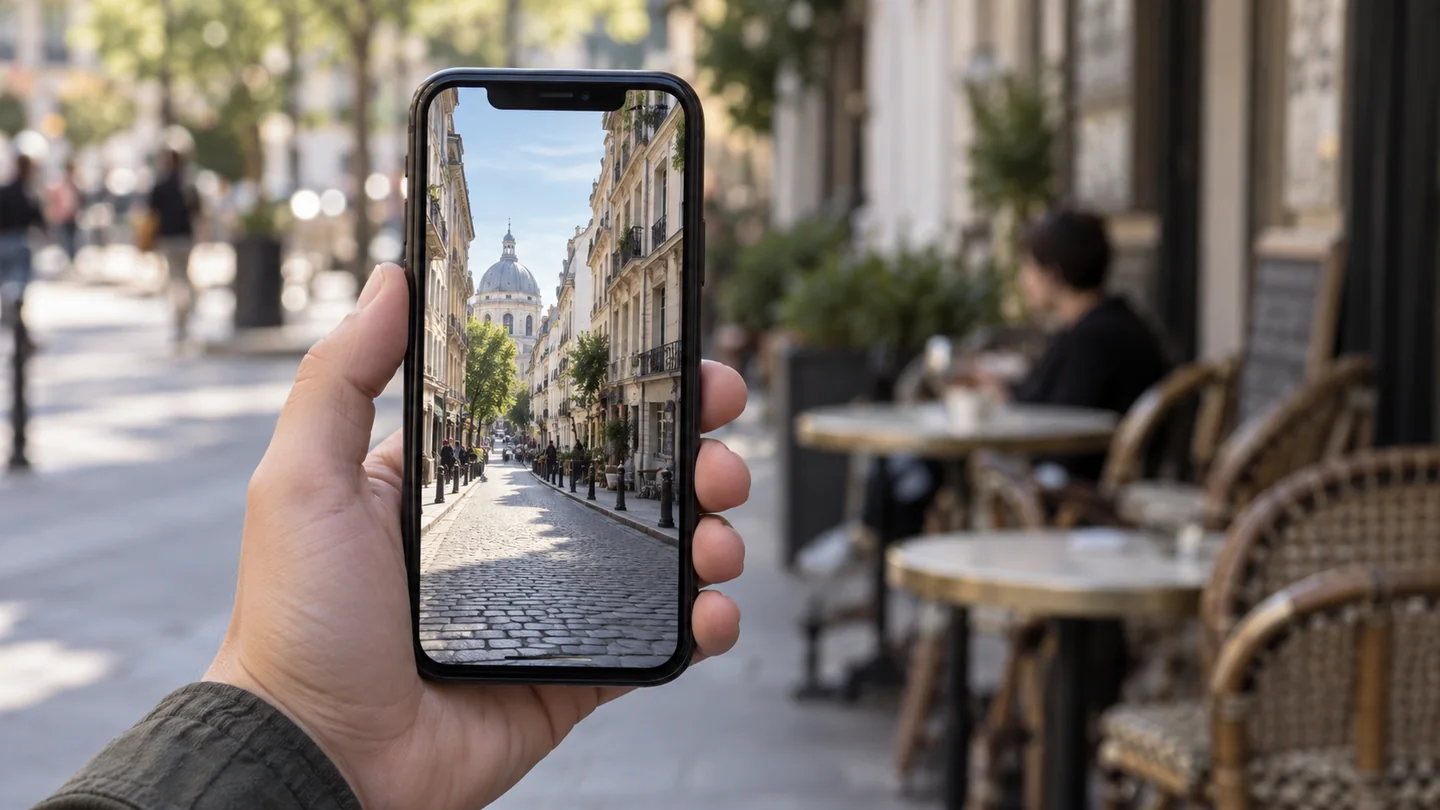
A hand holding a phone with its screen visible, ready for a screen-reveal transitionSample footage
00:00:03:121/2⌄
Scripted conversation preview · Sample footage

These scripted examples do not contact AI or access your project. Starter and Plus include text guidance. The shot example previews a planned feature; clip and timeline context are not included today.

On the roadmap

  • Final Cut Pro
  • DaVinci Resolve

For the “how do I do that?” part of editing.

YouTube editsInterviewsPodcastsClient projectsSocial content

Make the edit
you have in mind.

Starter

Turn your editing questions into clear steps, and build confidence as you create.

YOUR GUIDE IN PREMIERE

  • Ask questions in everyday language
  • Get beginner-friendly, step-by-step instructions
  • Explore text, fades, transitions, color and audio
  • Ask follow-ups when you get stuck
  • Standard monthly AI allowance

$14.99USD total / month

Choose


Plus

Keep exploring with the same guide and 2.5× the monthly usage for longer editing sessions.

EVERYTHING IN STARTER, WITH MORE ROOM

  • The same guide and features as Starter
  • 2.5× the Starter monthly AI allowance
  • More room for back-and-forth questions
  • Work through techniques at your own pace
  • No automatic AI overage charges

$24.99USD total / month

Choose

Premium

Go beyond describing your edit. Planned clip references will bring your footage into the conversation.

WHAT WE’RE WORKING TOWARD

  • Selected-clip references for your questions
  • Feedback informed by sampled still frames
  • Timeline context you choose to share
  • Guidance tied more closely to your edit
  • You stay in control of every edit

Coming soonFeatures and pricing to be announced

For macOS · Premiere Pro 26.5.1+ · U.S. customers Both paid plans include the same text-based AI guide. You make the edits in Premiere.

AI usage varies with the length and complexity of your conversations; there is no fixed question count. The allowance renews after a successful monthly payment. No automatic AI overage charges.

The displayed price is your monthly total; no tax is added at checkout. Plans renew automatically each month until cancelled. Cancel before renewal from My account → Manage subscription → Cancel subscription. Refund requests are reviewed individually. Read the subscription terms and refund policy.

From “what if”
to what comes next.

Starter and Plus are conversation-based guides. Shot and timeline-context examples illustrate planned features, not current capabilities.

A question.
A clear next step.

Keep the guide beside your edit. Describe what you’re trying to do, then work through the instructions in Premiere.

  1. 01

    Tell IvoryFX what you need.

    Try “How do I fade this clip out?” or “Help me make dialogue easier to hear.”

  2. 02

    Take it one step at a time.

    Ask where to find a control, what a setting means, or for a simpler explanation.

  3. 03

    Make the edit. Keep asking.

    You operate Premiere. Tell IvoryFX what you see and ask a follow-up when you need help.

Explore step-by-step guidance

COMING SOON · CLIP REFERENCE CONCEPT

PrInside your Premiere workspace
STREET_04.mov1 video clip selected
Sample still of a cyclist with open street on the rightConcept preview · sample still
The open street on the right gives the cyclist breathing room. Keep that space as you reframe.
Planned feedback from sampled stillsPreview
A preview of planned clip references. Not included in Starter or Plus.
A few things you might be wondering

Good questions.
Simple answers.

What is IvoryFX?

IvoryFX is an AI editing guide inside Adobe Premiere Pro. Describe the result you want, ask about a technique, and get practical instructions in your editing workspace. You make the edits yourself.

Do I need to know the right effect name?

No. Start with what you want it to look like. For example: “I want the next scene to look like it comes out of this phone screen. How would I do that?” IvoryFX can explain an approach and walk you through it.

Does IvoryFX make the edits for me?

No. IvoryFX currently provides guidance, and you perform the edits in Premiere. It does not cut clips, apply effects, run batch edits, or execute editing commands.

What can it use from my project?

Starter and Plus use the questions and recent conversation you submit. They do not read your timeline, capture frames or upload project files. Describe what you see when you need more specific guidance.

How does visual feedback work?

Visual feedback is planned for a future Premium plan. We’re working toward selected-clip references, sampled stills and optional timeline context. The shot examples on this page are concept previews; those features are not available in Starter or Plus.

Can it see my screen or tell what I clicked?

No. It does not continuously watch your screen, detect clicks, or highlight Premiere’s native controls. If you cannot find a control, tell IvoryFX what you see and ask it to walk you through the steps.

Does it work offline?

The AI guide uses an online AI service and requires an internet connection. This website’s sample conversations are scripted previews, not a connection to the live AI or your Premiere project.

Is IvoryFX available to download?

Yes. The paid beta is available for U.S. customers using macOS and Adobe Premiere Pro 26.5.1 or later. Starter is $14.99 total per month; Plus is $24.99 total per month. Choose a plan, create your account and complete secure checkout, then download the installer from your account. Windows is not available yet.